
Let’s talk about which devices for which age group. During March, I attended a Digital Technologies 7-10 professional learning workshop which deconstructed the Western Australian Curriculum. It was a great opportunity to see what other teachers were doing in their schools and how they interpreted the DT curriculum. For myself, one of the presenters, Maria D’Cunha from Hampton SHS, shared a story that gave me some confidence in how my journey was progressing. Like many of us, Maria was building her own Digital Technology skills and knowledge, she acknowledged that she was also learning, and not just her students. However, the biggest thing which she shared and which hit home for me was that she knew her students, she recognised that coding was something that many of her students knew nothing about and she started from that point. It didn’t matter that they were high school students, she gave them time to play and experiment with devices which many have labelled as being useful only for Early Childhood and Junior students. In Maria’s case, the devices available were BeeBots. 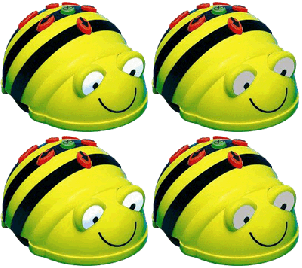
So, why is this a big deal? Well, in my journey I have sat and listened to many teachers sharing their stories, and I have listened to the expectations of those developing the WA Digital Curriculum, and the message in some cases has been that within a high school setting students should be learning and using a scripting language. Now, this is doable for those students lucky enough to have had experienced a thorough ICT background with a passionate, qualified teacher and the available hardware/resources but not all students have had this opportunity. In fact, many students may not even have access to a computer or device at home, nor internet access. Starting your program at a lower level is ok and will give students time to develop the confidence, skills, and knowledge which they need. I am not saying don’t challenge students just put some time into introducing the basics, give them time to experiment and explore the new devices, software, and applications, before setting higher level tasks. We want students to develop a passion for Digital Technologies and not be turned off and frustrated by attempting tasks beyond their initial abilities.
So, what do you start with? If you are lucky enough to be in a DETWA Primary or District High school you would have received in Semester Two, last year, a Digital & Design Technology kit filled with robots and maker gadgets. This came with a document outlining which device/gadget was suitable for which age group, very handy for getting started. However, many schools are still in the process of purchasing suitable devices and it is a little confusing as to what may work for which age group. What can be recommended on device websites may not always work in the classroom setting or be appropriate for the curriculum. If you are hoping to reduce that frazzled teacher feeling (wishing you had extra limbs to be able to help all students at once) and you want students working independently with devices, it is worth putting in some time doing a little research.
My suggestion is to use your teacher network to gather information from those in the know who have used the devices and have hands on experience using them in the classroom. Having used several robots and devices myself I thought I would share my 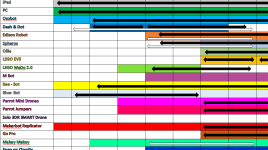 opinion and what I had been advised by other educators in my professional network. I have created a document that compares the advice of the companies, DETWA and those in the classroom. If you are interested you can access it here in the curriculum resource page. It is a work in progress and if you feel you could contribute further information based on experience please take the time to email me. All suggestions and advice would be very welcome and helpful in completing the document.
Please remember that this is based on personal experience and just a suggestion, your own experience and the experiences of others may be completely different due to many factors, including student prior knowledge and the reliability of the technology infrastructure within your school.

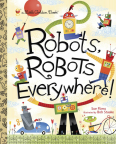 This cute little book could be used as a hook to get students thinking about robots in our world, where do we find robots? Do we use robots in our daily life? Students could select a real world robot and draw/write about what it does, perhaps create a flow chart which outlines the steps/sequence that a real world robot goes through. Or use it as a hook for writing a narrative about working with a robot, then have students illustrate their work (labeled diagram or artwork), or perhaps build a robot sculpture.
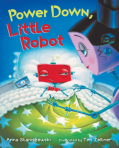 algorithms, a sequence for a procedure. The book is about a little robot who does not want to go to bed, he runs through his stalling program to avoid going to bed, something which all young children can relate too. Students could write and illustrate their own bedtime routine, which also fits into the health curriculum. This text also has a
 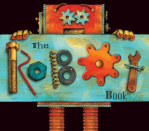 can be moved, such as, spinning cogs. With only 5 pages, it outlines the very basic parts of a robot for little children, in the search for the most important part (the heart). What is the heart of a robot? Useful for ECE classes when designing a robot, and could be used for covering social and emotional content. It could also be used with older students as a sample of how to design a book with moving parts.
 An emotional story about an old robot who can’t be fixed but finds a way to save a bird. A story that can open many discussions and writing tasks. Warning: You may need tissues.
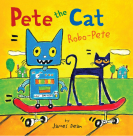 could use to open a discussion about mapping and GPS, students could create a story map of the text or develop their own grid ‘hide & seek’ map of the playground or school. Where would you hide? Students could code a path using directional arrow symbols and direct a robot friend to the secret spot. Or use the gridded maps to play a game similar to battleships, can you find the hiding spot?
 This is a lovely story about friendship and could be used in ECE to develop student awareness regarding how we speak to people in a positive way and how we are all valuable in different ways, plus jobs that robots could do.
 Another text with great robot illustrations, each letter of the alphabet has words which describe sounds. It would be great for any narrative writing task or animation project where students were being encouraged to include sound within their text. Watch this
  This book has lovely end
 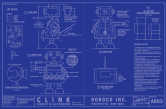 covers illustrated with very detailed plans of how to build a robot, a great example to show students and encourage them to add detail to their diagrams. The story line features an outdated robot whose programs no one wants and how he tries to gain the attention of the shoppers in hope of being purchased.
 is a graphic novel suitable for junior and middle school students. This text is a perfect hook for comic book making, students could create their own comic book text using an iPad
 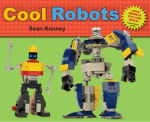 texts with instructions for building simple robots. You will need to check his block list and make sure you have the required pieces, otherwise, use the text as inspiration and have students construct their own robots. Perhaps they could even create their own instructions, another way to teach about sequences/algorithms.
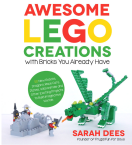 Awesome LEGO Creations with Bricks You Already Have
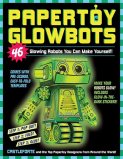 contains enough robots for each child in your class. You could easily merge this text into your Science program about light or use it as inspiration for a Design and Technology project. **Please note: there is a warning about potential fire hazard for some projects, make sure you go over any safety issues with your students and have a plan in case anything should occur (ooh…another Health lesson, fire safety).
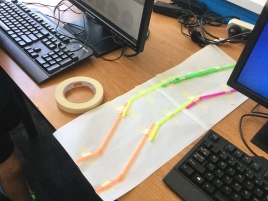


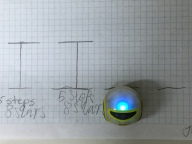


 Next, I got my
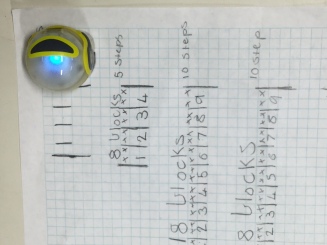
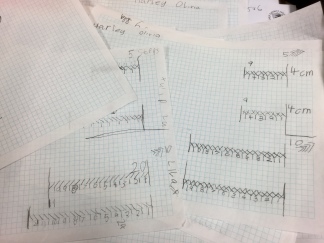
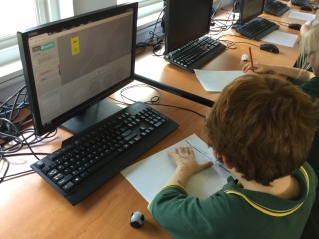
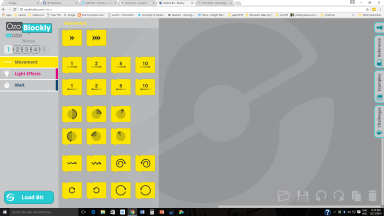
 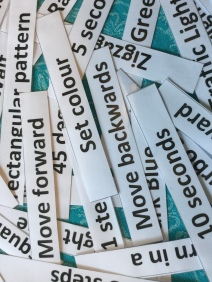 ask the students to create their own sequence using the codes. The text codes include: set colour, move forward, move backwards, turn right, turn left , wait, and turn in a (circle choice). I also write on the board that they must include four special lighting or movement codes of their choice (This makes it more fun, who doesn’t want Christmas tree lights flashing, before you zig zag along?). I also stipulate that they must have between ten and twenty code blocks within the sequence. They must then load the program onto the Ozobot, test the program and make any modifications, before showing the teacher.
 biscitmx